
Automatic trip detection, full route replay and exportable records for every vehicle — with no driver input.
A trip record is only useful if nobody has to remember to create it. AdaTrack builds one automatically from the vehicle's own telemetry: every departure, every stop, every route, timestamped as it happened. What you get is a complete and consistent source record of how the fleet was actually used — ready to export, replay or hand to whoever is asking.
Every journey recorded without anyone logging it
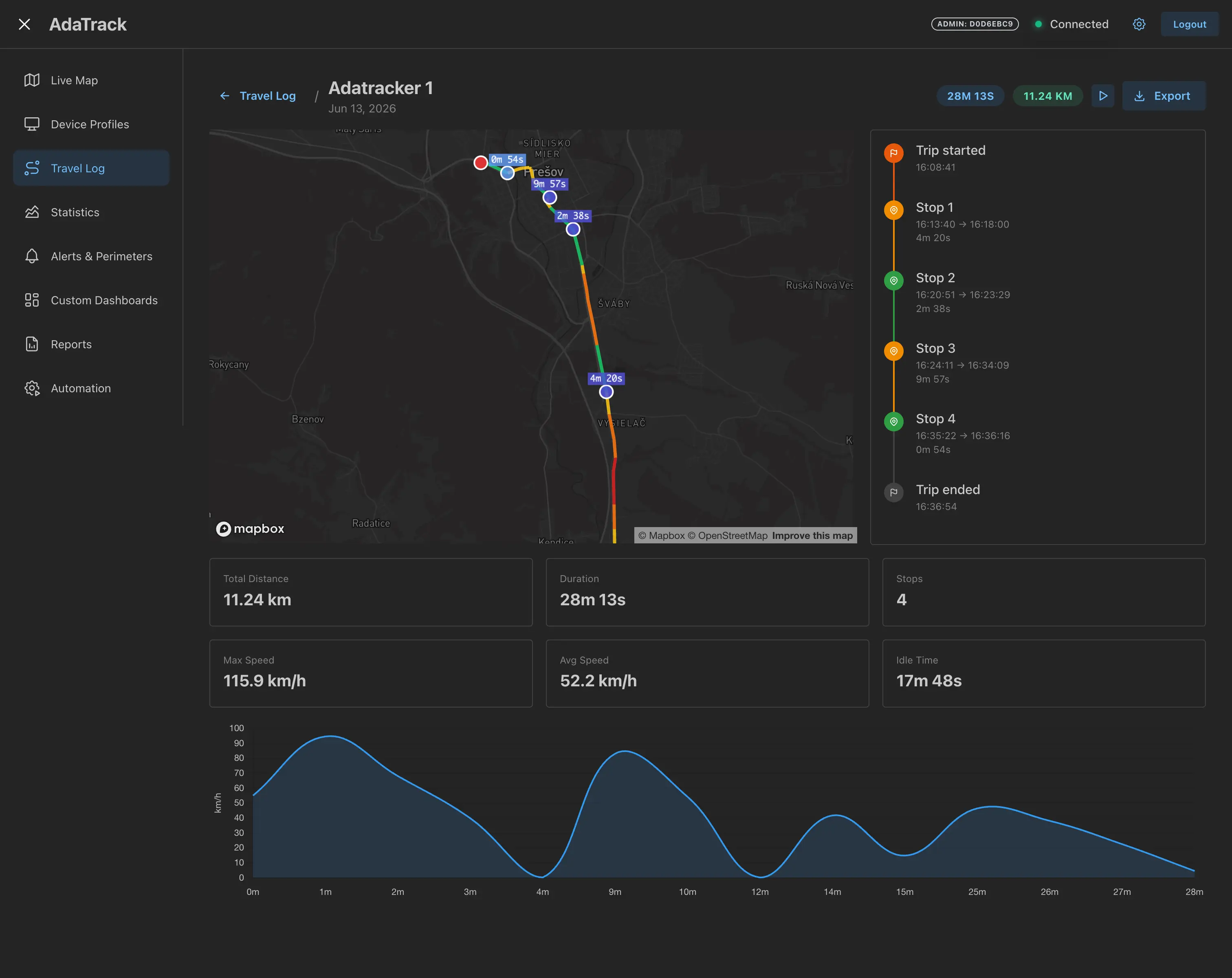
The platform watches the incoming position stream and decides for itself when a journey has begun and when it has genuinely ended. Nobody presses a button, nobody fills in a form at the end of the week, and no journey is quietly missing because someone forgot.
- Trips open and close from the telemetry stream, with no driver action
- Short stops are not mistaken for the end of a journey
- Start and end time, duration and distance recorded per trip
- Records build continuously, so nothing depends on remembering
- Works across the whole fleet from the same hardware you already track with
Export in the format the next person needs
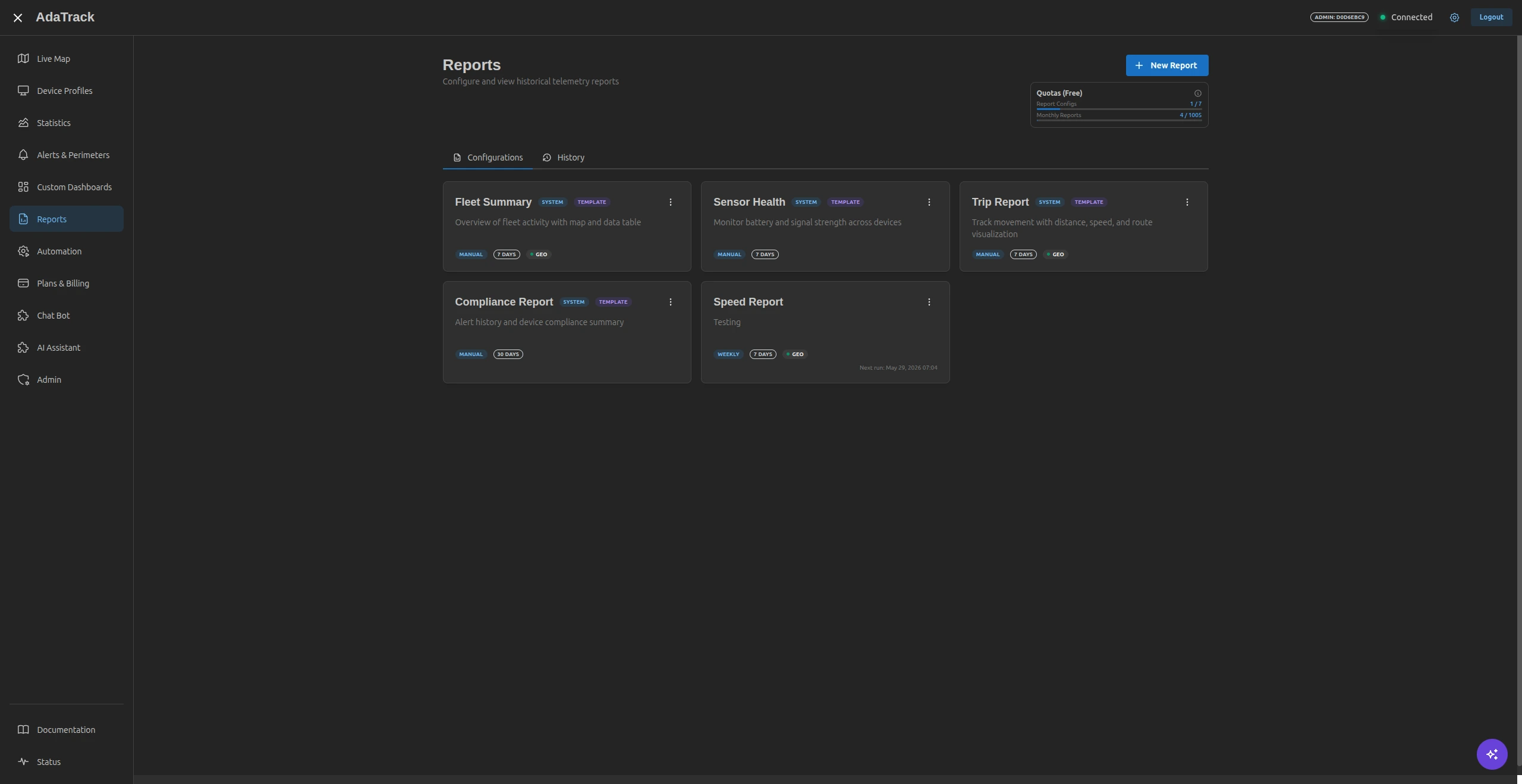
Records that live only inside a dashboard create work rather than removing it. Trips export individually or in bulk to CSV, GPX and PDF, so the same underlying data reaches accounting, a mapping tool or a client without anyone retyping it.
- Export a single trip or a bulk selection
- CSV for accounting and spreadsheet workflows
- GPX when the full route geometry matters
- PDF for a readable summary to pass on
- Scheduled reports can be generated and delivered on a recurring basis
Replay the route, not just the summary
A list of trips answers what happened; replaying one answers how. Every recorded journey can be played back along its actual path with its original timing, which turns an argument about a delivery or a detour into a question you can simply look up.
- Replay any trip along its recorded route on the map
- Point-by-point timing preserved, not just a start and end pin
- Settle disputed journeys against the recorded track
- See which vehicles are working and which are standing idle
- Spot detours, unexpected stops and out-of-hours use
Electronic trip records — common questions
Does this replace a statutory tax logbook?
No. AdaTrack records where and when a vehicle drove, but it does not carry a private-versus-business classification field, which is the part a tax logbook turns on. Treat the export as a complete, timestamped source record that your accounting process classifies, not as a finished tax document.
Do drivers have to start and stop each trip?
Trips are detected automatically from the telemetry stream. The platform recognises when a vehicle starts moving and when it has genuinely stopped rather than paused at a light, and closes the trip on its own. Drivers press nothing.
What export formats are available?
Individual trips and bulk selections export to CSV, GPX and PDF. CSV suits accounting and spreadsheet workflows, GPX keeps the full route geometry for mapping tools, and PDF is the readable summary for handing to someone.
Can we see the exact route a vehicle took?
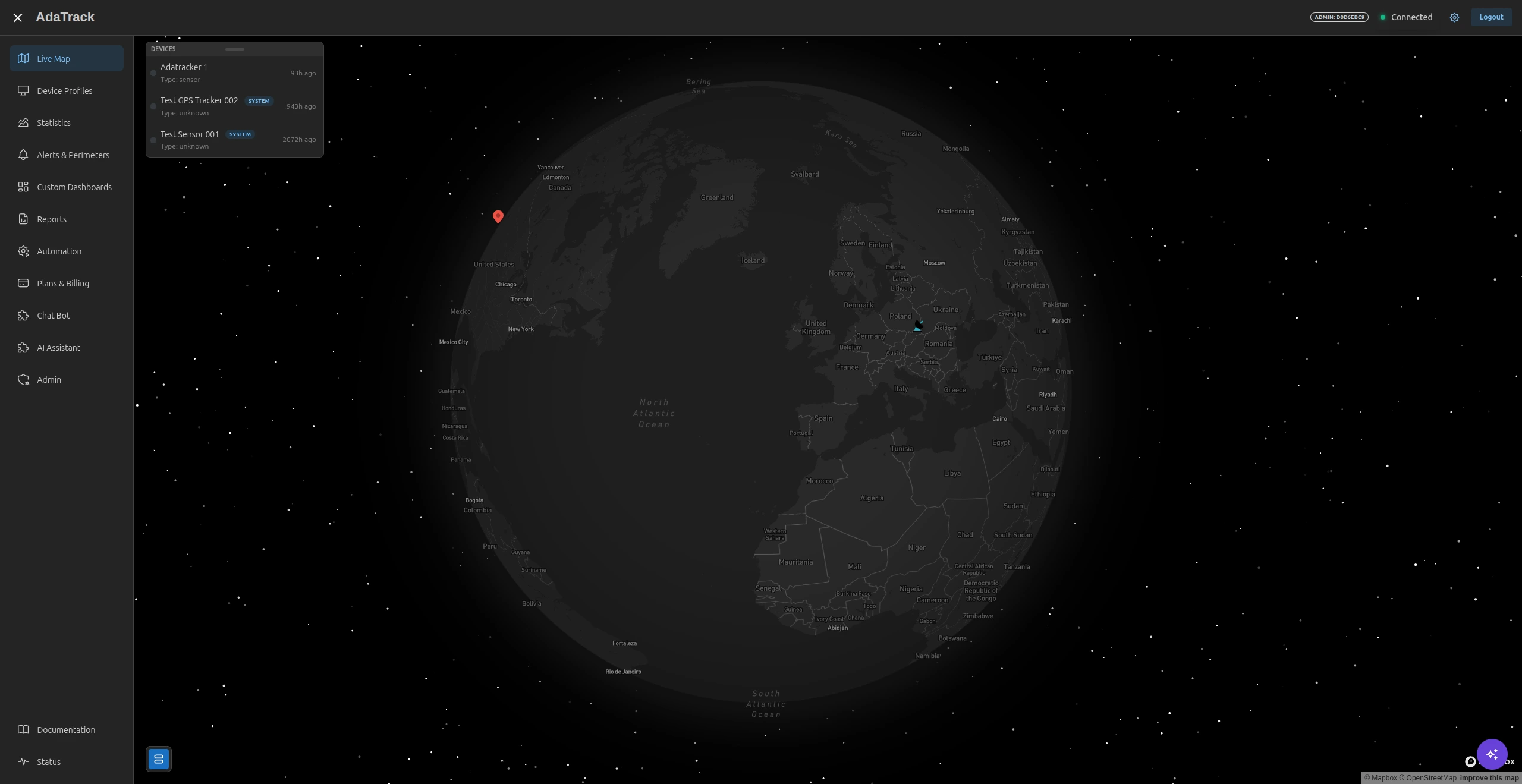
Every trip can be replayed on the map along its recorded route, with the timing of each point preserved. That makes it straightforward to check a disputed journey, a delivery window or an unexpected detour against what actually happened.
How far back does trip history go?
History length follows your plan's data retention. Self-hosted deployments set their own retention, so records can be kept as long as your own policy requires, in your own database.
Keep reading
Trip records are one part of the platform. See how they sit alongside live tracking, geofencing and reporting, or check what each plan includes.
Stop reconstructing journeys from memory
Bring one vehicle online and watch the first trips appear automatically, or walk through the export formats with an engineer before you commit.